
As a parent, your family members’ safety precedes everything else.
iOS and Android parental control allows moms, dads and guardians a way to keep tabs on their loved ones’ online activities. As mobile phones and tablets become the norm it makes total sense to build a parameter around the content, screen time, apps and whereabouts of your children.
FamiSafe parental control app is the best parental control app we’ve tried. It’s easy to start and install, works on a huge variety of iOS, Android and Kindle devices and gives you robust control options.
Table of Contents
Wondershare Famisafe Android and iOS Features
FamiSafe is a parental control app that safeguards your kids by letting them form good habits, gets them away from the dangers of the internet and can act as a GPS tracker if needed.
At its core, FamiSafe by Wondershare is a parental controls app that ticks all the right boxes. Keep track of your kids while they’re out and about? Check. See and block web content at the touch of a button? Check. Monitor their behavior and determine if they’re being bullied? FamiSafe gives you all that, and more.
App Blocker and Limiter
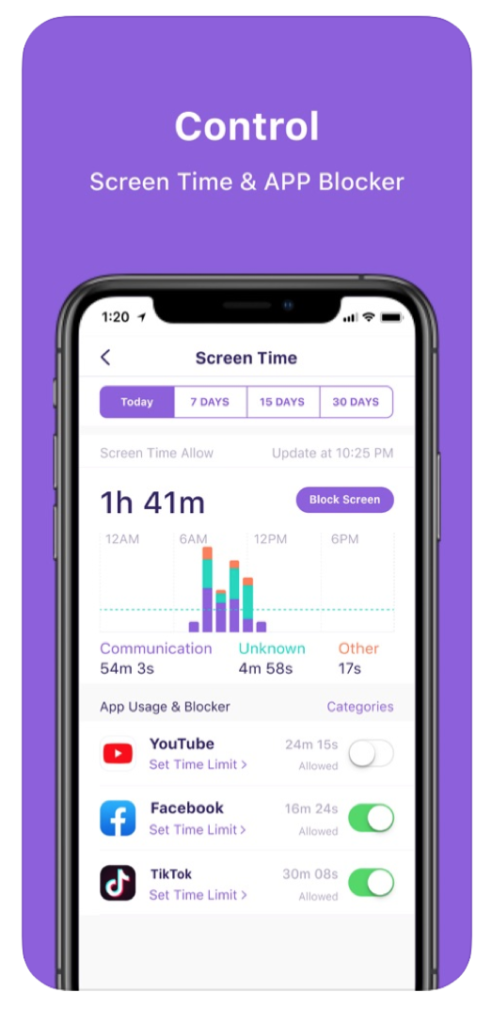
All apps on an Android or iOS device (smartphone, tablet) can be tracked. You can see how much time was spent per app and set limits, including duration and on certain hours of the day.
You can limit device usage during study or sleep hours, or at a certain time. For example, you can keep app usage for 2 hours each day, or prevent app access from 9pm to 3pm.
Screen Time
Limiting screen time is essential for those who want their children to explore other endeavors, including extracurricular activities, sports and non-digital hobbies. With the FamiSafe app you can block the device temporarily whenever they need to focus on more important things. You can set a smart schedule based on where your child is or on the current activity, and even add a ‘reward’ for doing good in school or completing house chores.
Family Locator
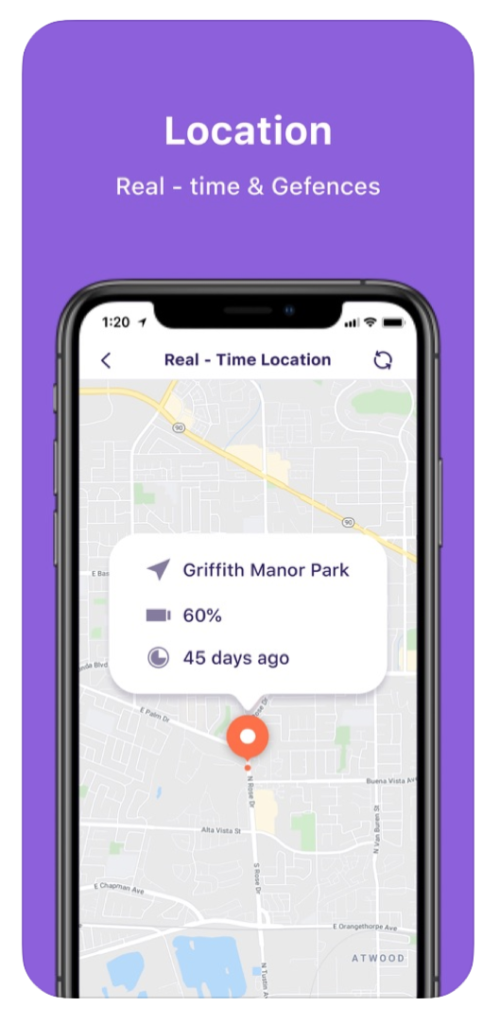
Teens and young adults will often have their smartphone close at hand throughout the day. You can still keep tabs on their whereabouts with the Family Locator feature and use geo-fencing and real time tracking to see where they are.
Web Content
The world wide web is a vast resource for homework and school research but there are websites that can prove to be dangerous or age-inappropriate for children.
Famisafe parental control app gives you the ability to block these websites and even get to see deleted browser histories.
Parental Alerts
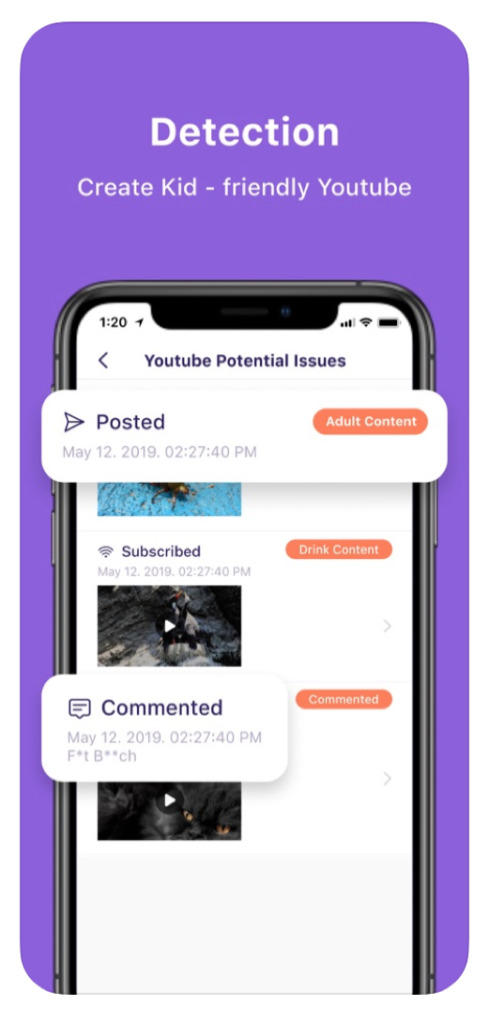
FamiSafe continues to work even when you’re busy with other things. You can get important alerts on red flags, including explicit texts, suspicious photos and disturbing content on social media.
Cyberbullying Detection
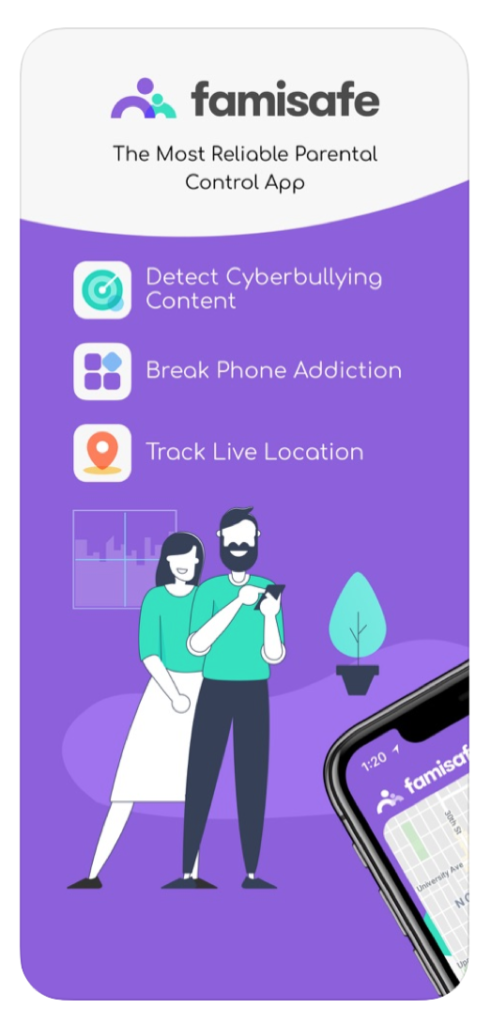
Often hard to catch, cyberbullying can go unnoticed until it gets out of hand. FamiSafe can spot threats, embarrassing or intimidating acts through its robust 24/7 cyberbullying feature on social media. Parents can view, search and track their children’s posts and messages and be alerted when certain words are seen or used. You can add your own keywords and begin monitoring your kid’s social media, including Facebook, YouTube, Snapchat, Instagram and more.
How to Install FamiSafe
Step 1. Sign up for an account at the official FamiSafe website (https://famisafe.wondershare.com/)
Step 2. Download the Android parental control app on Google Play, or the iOS parental control app at the App Store.
Step 3. Open the app and connect the devices via the web portal or the Famisafe dashboard app.
Things to Keep in Mind
- You will need a valid email address so you can verify the registration.
- It’s highly suggested to use a strong password.
- ‘Parent’ devices must also have the app installed
- You should sign in with the same account on both parent and kid devices.
- You need to activate Famisafe accessibility and allow app permissions.
Once all steps are followed through, you’re ready to hand the devices to your children, and you’re done!
How Much is FamiSafe?
Part of subscribing to the FamiSafe parental control Android app is choosing the plan that works best for you.
Once you sign up the app is yours to keep. Moreover, you get free updates in the future and support services as well. All the features we mentioned, including SMS detection, location tracking, screen time control and web content filtering are fully unlocked.
Managing the devices under the parental control iPad, iPhone, Android phone and tablet is a matter of accessing the dashboard and going to the device you want to view. The interface is clean, simple and easy to understand.
Wondershare offers a monthly, quarterly and annual subscription for $9.99, $19.99 and $59.99, respectively. You get bigger discounts on longer terms and manage more devices as well.
Conclusion
FamiSafe is the leading Android parental control app which is a must-have for parents who want the best for their children.
It contains everything you need to monitor and set limits on your child’s phone, tablet and computer. We like how the screen time, app blocker and web content features work and how it gives you peace of mind knowing your kid is protected from the bad things on the internet.
Try the Famisafe parent control app today!