


In June 2021, Google ended unlimited storage for new photos and videos in “High quality” mode: starting June 1, uploads began counting against the shared 15 GB Google Account storage limit. The shift of the service to paid Google One subscriptions forced users to rethink how they store gigabytes of personal media libraries. Monthly costs, privacy risks, and the difficulty of organizing large archives have all fueled growing interest in local and self-hosted photo storage systems. More and more people are choosing local and hybrid systems that combine AI automation, wireless auto-backup from smartphones, and full ownership of their own digital archive.
Table of Contents
Criteria for choosing a modern photo organization system
When choosing a quality Google Photos alternative, it’s important to look beyond visual similarity of the interface and consider the program’s underlying architecture. Modern photo archive managers differ significantly in how they handle data, their level of automation, and the technical skills they require from users.
In preparing this review, we identified four key criteria that a convenient media cataloging system should meet.
- Storage architecture and privacy (local-first)
With local storage, the main archive stays on a computer, external drive, or NAS, so it doesn’t need to be uploaded to a provider’s server. However, security still depends on device settings, backup practices, and network access.
- Intelligent search and metadata processing
A full-featured google photos alternative should take over the routine work of sorting. Applications can automatically read EXIF metadata, and some additionally use local or server-side AI models to recognize faces, objects, and scenes.
- Wireless sync with mobile devices
For users who shoot mainly on a smartphone, automatic or semi-automatic photo upload is an important feature. Whether background transfer actually works depends on the app and the operating system.
- Transparent cost model (TCO)
Moving away from cloud services should make economic sense. A one-time license or free software can reduce subscription costs, but they don’t eliminate spending on drives, backups, electricity, and hardware maintenance.
Detailed review of the top 5 Google Photos alternatives
Below is a detailed breakdown of five leading software solutions for local cataloging, P2P synchronization, and self-hosted photo archive storage.
1. Tonfotos
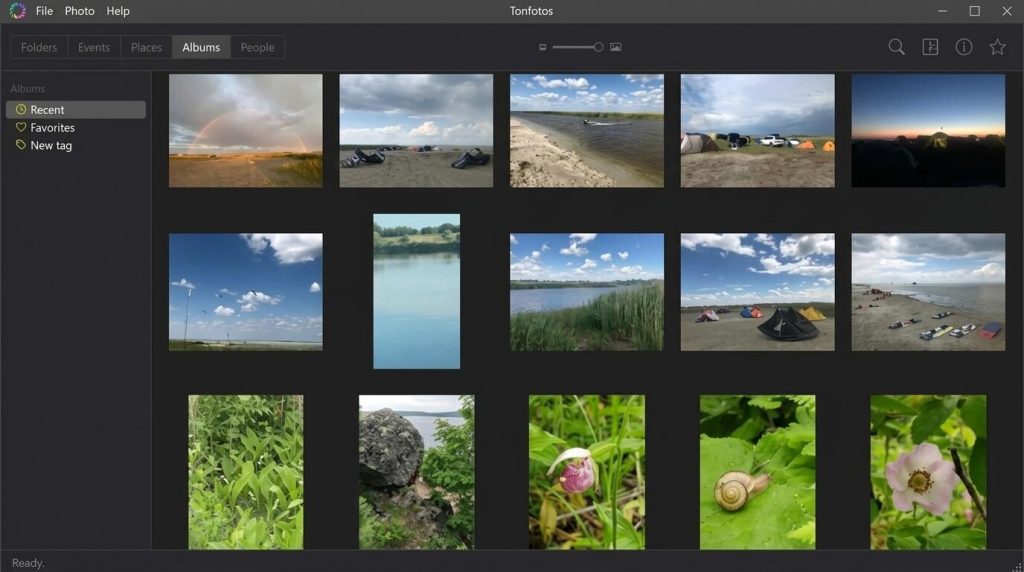
Tonfotos is a desktop application for managing a photo archive. It runs on Windows, macOS, and Linux, building a single media library across internal drives, external storage, and NAS without forcing you to move files. Paired with the TonfotosSync mobile app, the system provides wireless backup of new photos from your smartphone.

Key features:
- Offline face recognition (AI Face Recognition). Local processing of frames by a neural network resistant to age-related changes in appearance and shooting angles.
- Hybrid storage support and deduplication. Unified indexing of local drives, external HDDs, and NAS, with visual duplicate search.
- Freemium with a one-time purchase model. A perpetual personal or family license (up to 5 devices) is bought once and requires no recurring payments.
Advantages:
- Photo processing and face recognition run locally, with no requirement to upload the archive to cloud storage.
- An ecosystem with convenient mobile auto-backup over Wi-Fi, with no cloud servers involved.
- Tools for grouping people and building a family photo archive.
Limitations:
- The free version has a limit on the number of recognizable people.
2. Mylio Photos
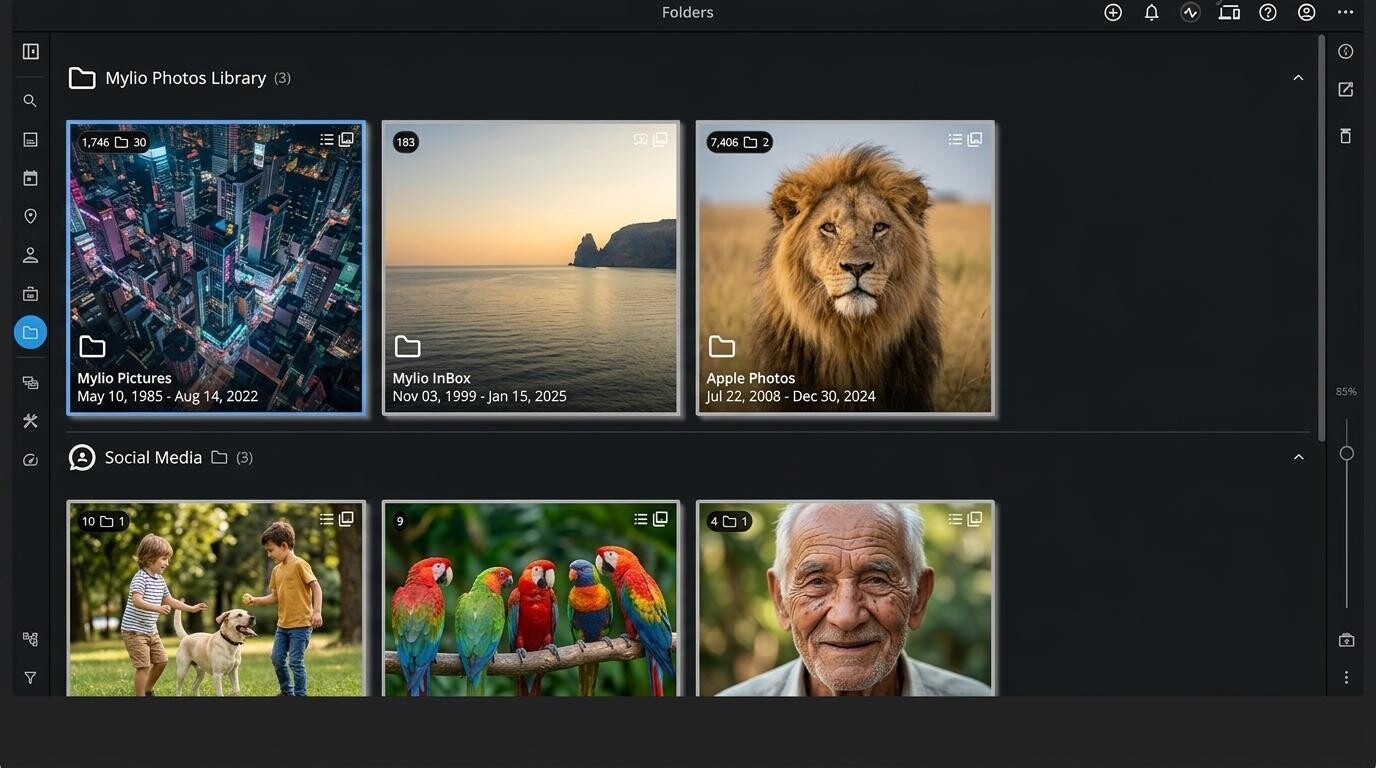
Mylio Photos is a local cataloging app built on a P2P network. It syncs your media library across devices and can use a NAS as a Vault storage location. The exact transfer scheme and feature availability depend on the plan and library settings.

Key features:
- P2P device synchronization. Direct exchange of files and metadata between smartphones, computers, and NAS over a local Wi-Fi network.
- Local indexing. Search by metadata, SmartTags categories, dates, places, and other library parameters.
- Basic editing tools. A basic module for color correction and RAW file editing.
Advantages:
- Fast, direct sync of photos across all of a user’s devices.
- Saves smartphone storage space by using Smart Photos.
- Built-in tools for basic photo color correction.
Limitations:
- More complex initial setup of P2P connections and sync settings between devices.
3. digiKam
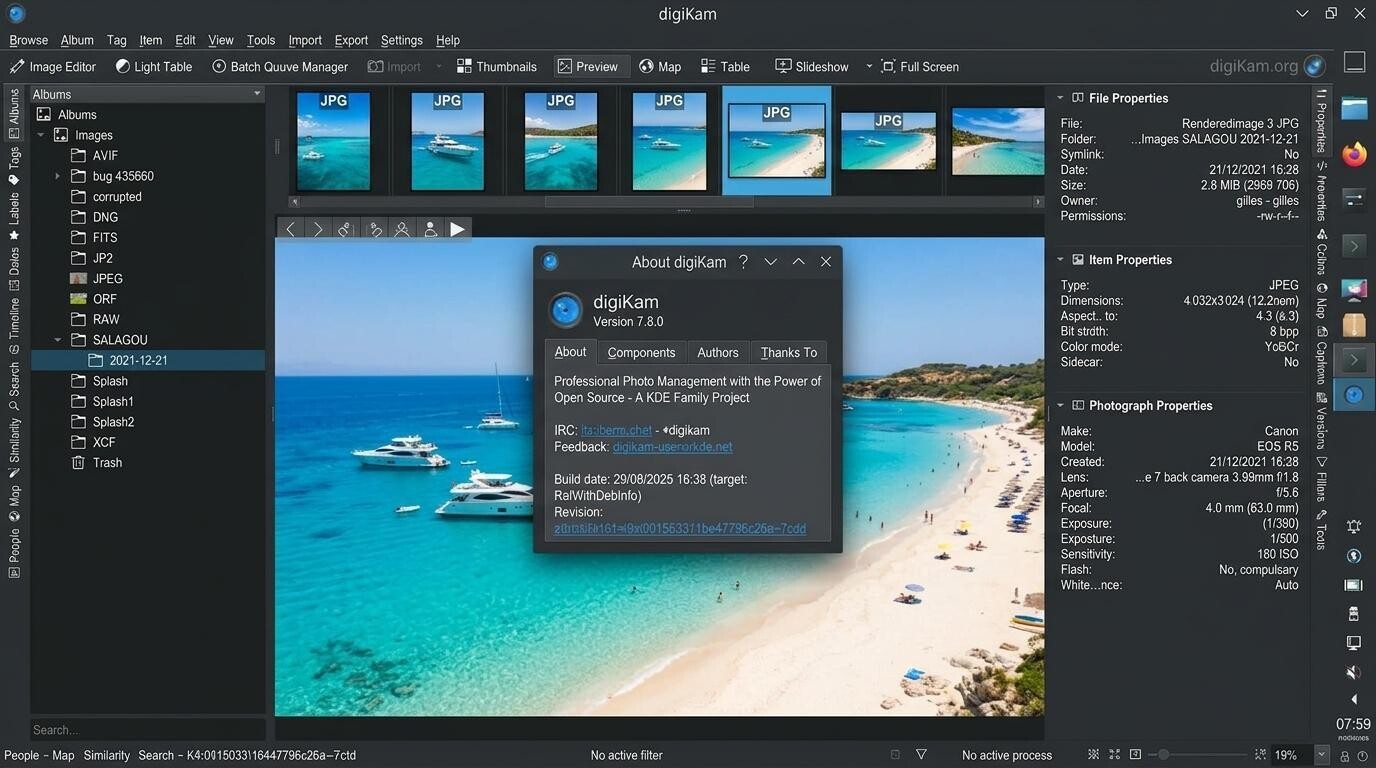
digiKam is a free, open-source photo archive manager with advanced cataloging and metadata tools. It supports massive databases on local and network drives, giving you full control over cataloging and metadata.
Key features:
- In-depth metadata handling. Full support for EXIF, IPTC, and XMP standards, customizable tags, and hierarchical labels.
- Built-in image editor. An advanced module for RAW correction, noise reduction, tone curves, and chromatic aberration fixes.
- Duplicate search and face recognition. Algorithms for finding visually similar shots and offline person detection.
Advantages:
- Completely free. The program imposes no separate tier-based limit on the number of photos, though the practical size of your archive depends on your hardware and database.
- A very powerful toolset for batch processing, cataloging, and metadata editing.
- Support for local SQLite and client-server MariaDB for large archives.
Limitations:
- A cluttered, complex interface with a steep learning curve for average users.
4. Immich
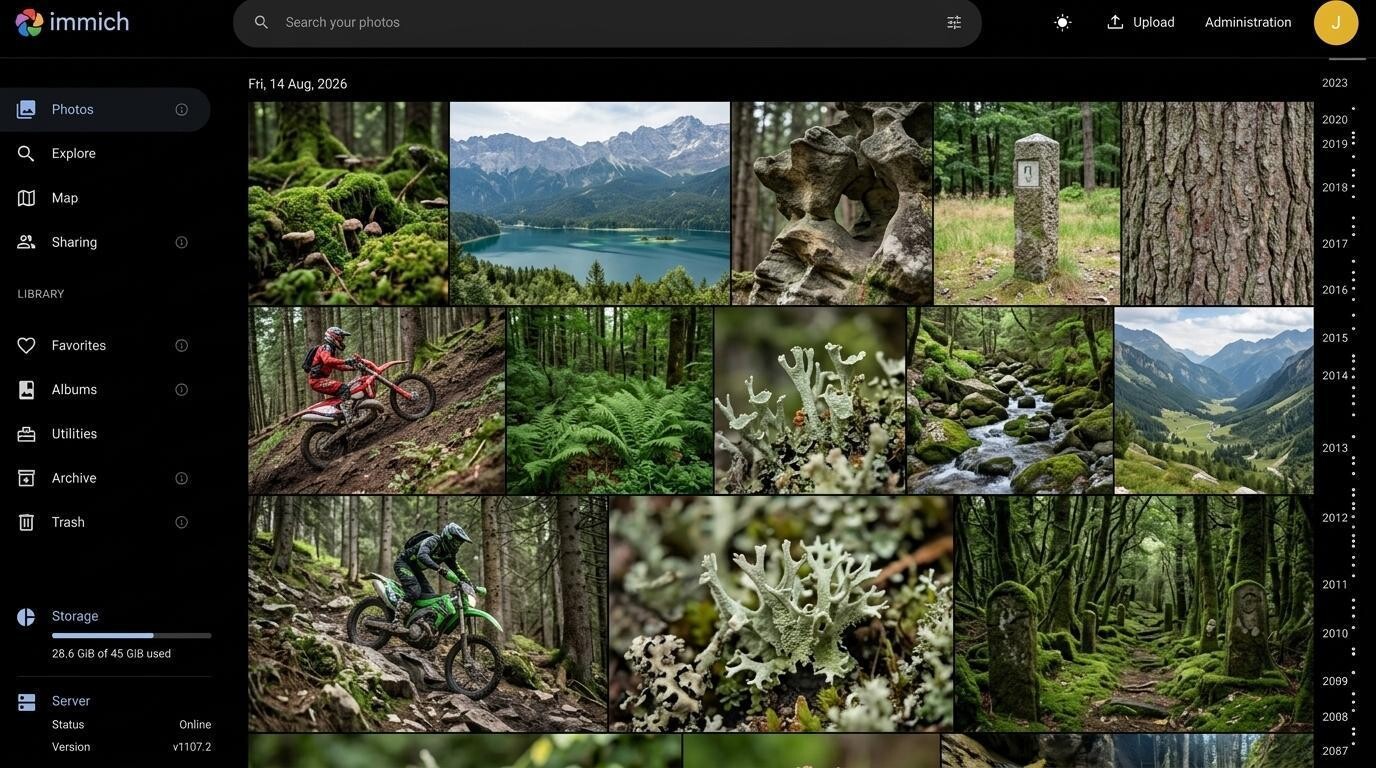
Immich is an open-source, self-hosted replacement for Google Photos. It’s deployed on a server or NAS via Docker, offering a familiar interface, mobile auto-backup, and storage of all files on the owner’s own hardware.
Key features
- Native mobile auto-backup. The iOS and Android apps support automatic upload of selected albums; background operation depends on OS permissions and restrictions.
- Server-side AI search. Face recognition and object search run on the owner’s own server rather than in the developer’s cloud infrastructure.
- Multi-user mode. Isolated accounts for family members, with the ability to share albums and links.
Advantages:
- An interface and user experience very close to Google Photos.
- A convenient native mobile app for background sync.
- Data can be stored on your own server, giving the owner greater control over where the archive lives.
Limitations:
- A high technical barrier to entry: requires Linux administration skills, familiarity with Docker, and the ability to set up a home server/NAS.
5. PhotoPrism
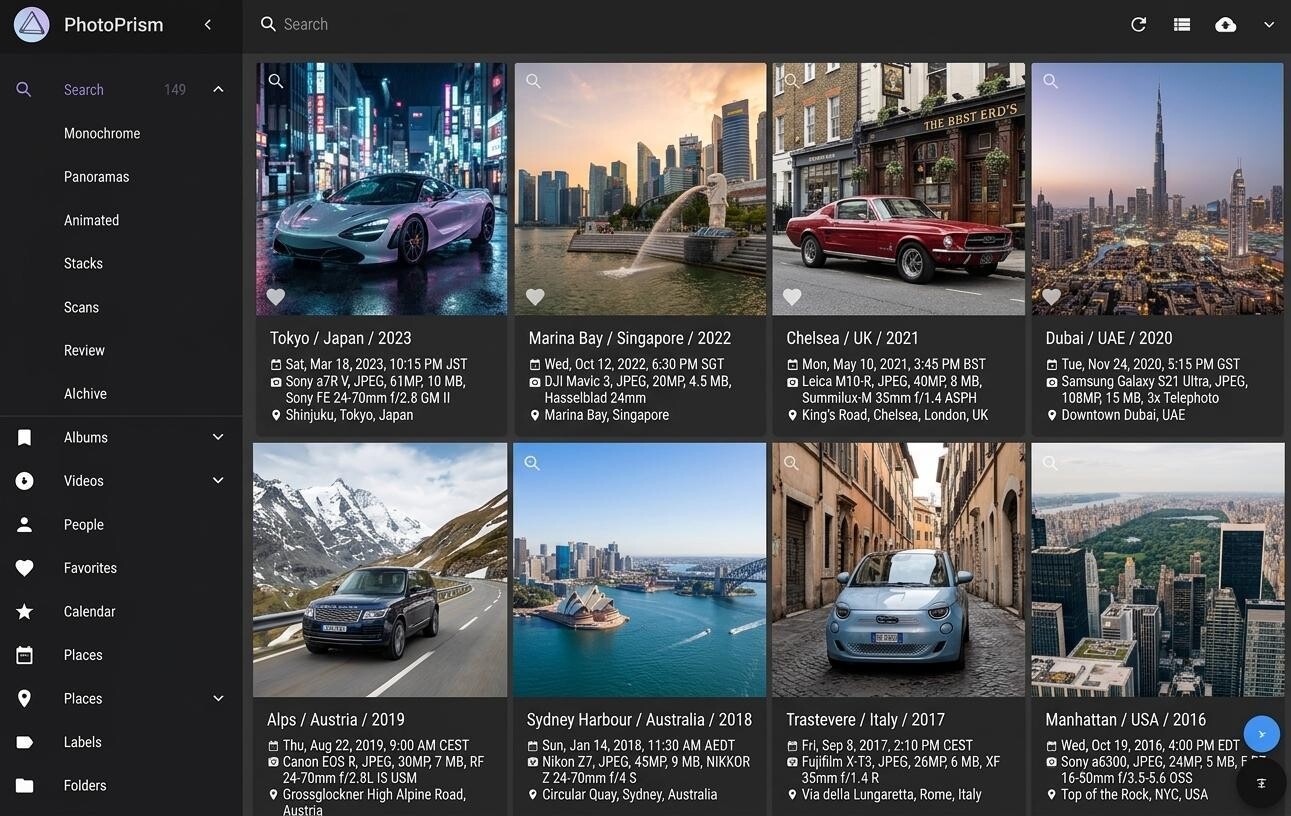
PhotoPrism is a self-hosted web service for image classification, face recognition, and content-based search; it uses machine learning models that vary by version and configuration. It’s installed on a server or NAS, indexes photos from connected folders, extracts metadata, and groups images by date, place, person, and classification results.

Key features
- TensorFlow-based classification. Automatic recognition of objects, landscape elements, colors, and faces.
- WebDAV integration. The ability to connect third-party mobile clients and sync files via standard network protocols.
- Map and geo-grouping: Automatic placement of photos on an interactive world map by location.
Advantages:
- High-quality neural network recognition of objects and scenes.
- Access to your media library from any browser on any device, with no local software to install.
- Preserves the original folder structure on the server.
Limitations:
- High CPU and RAM load on the server while indexing the archive.
Comparing the top 5 alternatives
To clearly see the key differences between the programs reviewed, let’s compare them by the main criteria: data storage architecture, AI processing method, mobile sync approach, total cost of ownership (TCO), and the barrier to entry for users.
Feature comparison table
| Service | Storage | AI and search | Mobile backup | Cost | Complexity |
|---|---|---|---|---|---|
| Tonfotos + TonfotosSync | PC, external drives, and NAS; no cloud required | Local face recognition, search by date, person, and place | Auto-upload from iOS and Android to a PC or NAS | Free version; perpetual license – from $59 | Low: ready-made application |
| Mylio Photos | User’s devices; NAS can act as a Vault | Search by person, place, date, and SmartTags | Photo and metadata sync between devices | Mylio Photos+ subscription; price depends on plan | Medium: library and sync setup |
| digiKam | Local SQLite; MariaDB for large archives | Faces, similar images, EXIF, IPTC, XMP, and tags | No official mobile auto-backup | Free open-source software; costs – hardware and backups | High: many professional settings |
| Immich | Own server or NAS; typically Docker | Server-side face and object recognition and content search | iOS and Android apps; background operation depends on the OS | Free software; costs – server, drives, and maintenance | High: requires server setup |
| PhotoPrism | Own server or NAS; web interface | Classification, faces, objects, and places | Web interface, WebDAV, and third-party clients | Community Edition and paid editions | High: requires service administration |
Final verdict and recommendations
Moving from Google Photos cloud storage to local and self-hosted systems isn’t just a way to save on subscriptions – it’s a meaningful step toward regaining control over your own digital memories and personal data.
- For enthusiasts and IT professionals Immich and PhotoPrism can replace a significant part of Google Photos functionality — storage, search, albums, and internet access — but require self-managed deployment and maintenance.
- For professional photographers digiKam. It is one of the most feature-rich free tools for cataloging and metadata management.
- For everyday and family use, in our view, the most balanced and intuitive solution is Tonfotos paired with TonfotosSync.
Choosing the right software comes down to three main factors: your technical background, the hardware infrastructure you use, and your budget.