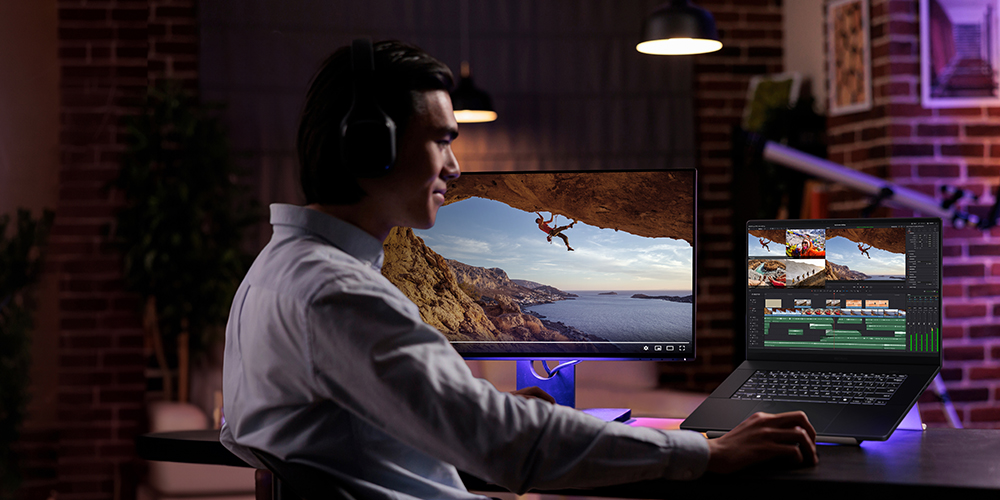
Finding the right laptop for video editing in India is not easy. There are too many options and confusing specs. But once you know what to look for, the choice becomes simple. Whether you edit YouTube videos, reels or short films, a good creators laptop can save you hours of waiting and frustration. This guide breaks it all down for you simply.
Table of Contents
Top 4 laptops for video editing
ASUS ProArt P16
The ASUS ProArt P16 is a powerful laptop for video editing built for creators who demand studio-grade performance anywhere. Slim, lightweight and military-grade durable, it features exclusive AI tools like StoryCube and MuseTree, plus a stunning OLED touchscreen with stylus support for intuitive, professional-grade creation on the go.
| Specification | Details |
| Processor | AMD Ryzen AI 9 HX 370, up to 5.1GHz, 12 Cores, 50 TOPS NPU |
| Graphics | NVIDIA GeForce RTX 5080 Laptop GPU, 16GB GDDR7 |
| Display | 16-inch 4K OLED Touch, 120Hz, 1600 nits, 0.2ms Response Time |
| RAM | 64GB LPDDR5X |
| Storage | 2TB NVMe PCIe 4.0 SSD + 100GB Cloud Storage |
| Price | ₹431,990 |
Disclaimer: Prices are subject to change, kindly visit the product website for actual costing.
Lenovo Legion 9
If you are looking for a creators laptop that also handles gaming brilliantly, the Lenovo Legion 9i Gen 10 is a great choice. Its massive 18-inch screen, carbon fibre body, smart AI cooling system, and six-speaker audio make it a well-rounded machine for video editing, 3D work, and everyday heavy tasks.
| Specification | Details |
| Processor | Intel Core Ultra 9 275HX, up to 5.4GHz P-cores |
| Graphics | NVIDIA GeForce RTX 5080 Laptop GPU, 16GB GDDR7 |
| Display | 18-inch 4K IPS, 240Hz, 520 nits, 100% DCI-P3, HDR 400 |
| RAM | 32GB DDR5-5200MT/s |
| Storage | 1TB M.2 PCIe Gen5 SSD |
| Price | ₹4,35,290 |
Disclaimer: Prices are subject to change, kindly visit the product website for actual costing.
HP ZBook X G1i
The HP ZBook X G1i is a great option if you need a laptop for video editing and heavy professional work. It charges very quickly, has a built-in camera cover for privacy, and is made using eco-friendly materials, making it a reliable, safe and responsible pick for working professionals.
| Specification | Details |
| Processor | Intel Core Ultra 9 285H, up to 5.4GHz, 16 Cores |
| Graphics | NVIDIA RTX Pro 2000 Blackwell Laptop GPU, 8GB GDDR7 |
| Display | 16-inch WUXGA IPS, Anti-Glare, 400 nits, 100% sRGB |
| RAM | 64GB DDR5-5600 MT/s |
| Storage | 1TB PCIe Gen4 NVMe SSD |
| Price | ₹4,29,999 |
Disclaimer: Prices are subject to change, kindly visit the product website for actual costing.
Acer Predator Helios 16 AI
The Acer Predator Helios 16 AI is a strong pick for anyone who wants a laptop for video editing as well as gaming. It has a beautiful OLED screen with vivid colors, a colorful backlit keyboard and smart AI features that help it handle heavy tasks smoothly, which makes it a great value for both gamers and creators.
| Specification | Details |
| Processor | Intel Core Ultra 9, up to 5.4GHz |
| Graphics | NVIDIA GeForce RTX 5090, 24GB GDDR7 |
| Display | 16-inch WQXGA OLED, 240Hz, 400 nits, 100% DCI-P3 |
| RAM | 32GB DDR5 (Upgradable to 64GB) |
| Storage | 2TB SSD (1TB PCIe Gen5 + 1TB PCIe Gen4) |
| Price | ₹4,09,999 |
Disclaimer: Prices are subject to change, kindly visit the product website for actual costing.
What to look for in a laptop for video editing?
- Display quality: A good screen shows true colors, so your videos look the same on every device. Look for at least 100% sRGB coverage.
- Processing power: The processor is the most important part of your laptop. A faster processor means your video editing software runs without slowing down or freezing.
- RAM capacity: More RAM lets your laptop handle big video files with ease. 16GB can feel limiting during heavy edits, however, 32GB gives you much more breathing room.
- Storage type and speed: Do not use a normal hard drive. Instead, choose an SSD. It saves your work faster and does not make you wait for your projects to start.
- Battery life: A creator’s laptop that dies in three hours is a problem. Look for at least 8 hours of real-world battery life for working anywhere.
- Cooling system: Video editing heats up your laptop quickly. A good cooling system keeps things running fast and stops your laptop from slowing down under pressure.
Which specs matter most for content creators?
- GPU performance: A dedicated graphics card is a must for any laptop for video editing. It handles heavy effects, color grading, and rendering much faster than basic chips.
- CPU core count: More cores mean your laptop can do many tasks at once. This directly speeds up export times when finishing your final video.
- RAM speed: It is not just about how much RAM you have. Faster RAM helps your laptop move data quickly between the processor and your editing software.
- Storage capacity: Running out of space in the middle of a project is painful. At least 512GB SSD is needed, but 1TB gives you real breathing room.
- Thunderbolt or USB-C ports: Fast ports let you connect external drives and monitors without slowing your workflow. This small spec makes a big difference every day.
- Screen resolution: You can get by with a Full HD screen, but a 2K or 4K screen lets you see every feature very clearly. This matters a lot when doing color correction or fine cuts.
So, which laptop should you choose?
Choosing the right laptop for video editing comes down to what you need most: portability, screen quality or raw power. Every laptop on this list does a solid job for creators in India. But if we had to pick just one, the ASUS ProArt P16 stands out for its stunning display and compact build that just works beautifully.